The DenkBox software was developed with great care to support you in your tasks as effectively as possible. It combines state-of-the-art AI technologies with an intuitive user interface, helping you work more efficiently and stay focused.
The most important features are quick and easy to access. When you need more precise control, it is always available to you. This allows even complex tasks and demanding processes to be handled with ease.
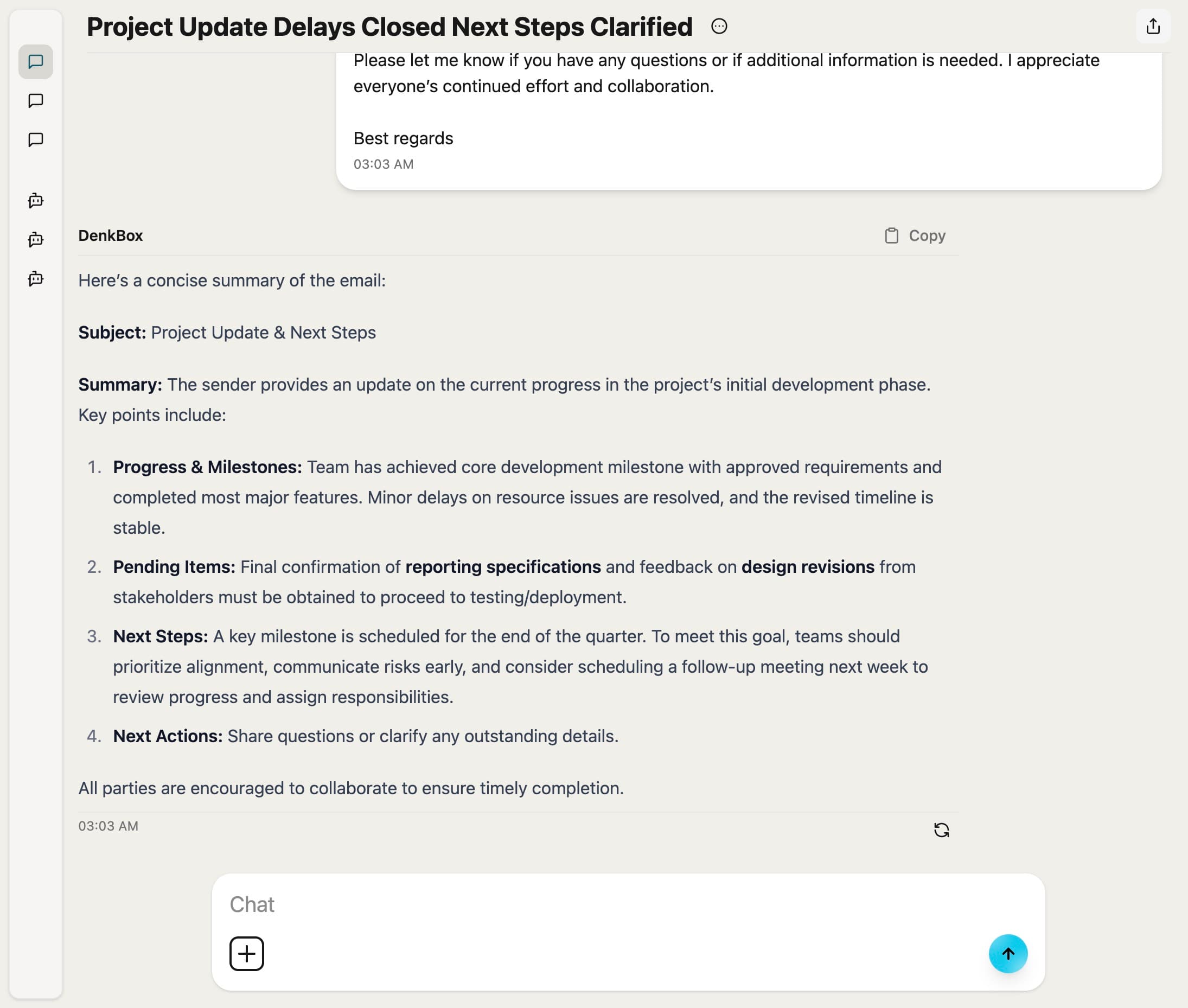
The chat is the core component of the DenkBox software. It works similarly to other common chat applications. Here, you can ask DenkBox any question, and the model will generate a response.
With our Builder, you can create your own automations that can later be started at the push of a button. You can combine different types of data and execute them in any number of steps.
You can already choose from a wide range of different data types and combine them within a single workflow. More data sources will follow.
When you chat with DenkBox, you also have access to a so-called RAG database, among other things.
Retrieval-Augmented Generation means that data stored in advance is used to generate an answer, allowing specific domain or company knowledge to be incorporated.
In the first step, documents such as PDFs, text files, or internal knowledge pages are analyzed and split into small content sections. These sections are then converted into so-called vectors and stored in a specialized knowledge database.
When a user asks a question, it is also translated into a vector and compared with the stored content. The most relevant matches are automatically identified and provided to the AI as context. Based on this, DenkBox generates an answer that specifically draws on the stored company knowledge.
Content stored in the RAG database is saved permanently and used across the organization. Chat attachments, on the other hand, are only available within the respective conversation and do not contribute to the central company knowledge. RAG ensures that relevant information is automatically taken into account for every request.
The admin management area is the central entry point for all system-related settings.
Here you manage users, roles, and permissions, configure models and data access, and maintain full visibility into system status, usage, and security-relevant aspects.
Manage user accounts centrally and retain full control over access rights across the entire system.
Roles and permissions can be clearly defined, adjusted, and assigned with precision.
This section allows you to control the available AI models and how they are used within the system.
You can enable models, manage versions, define default models, and control resource limits.
Configure how and to what extent the system is allowed to use external connections.
Manage API keys, network policies, and allowed domains to ensure secure access.
Keep an eye on the current state of the system at all times.
View system activity, utilization, and running processes in real time and detect anomalies early.
